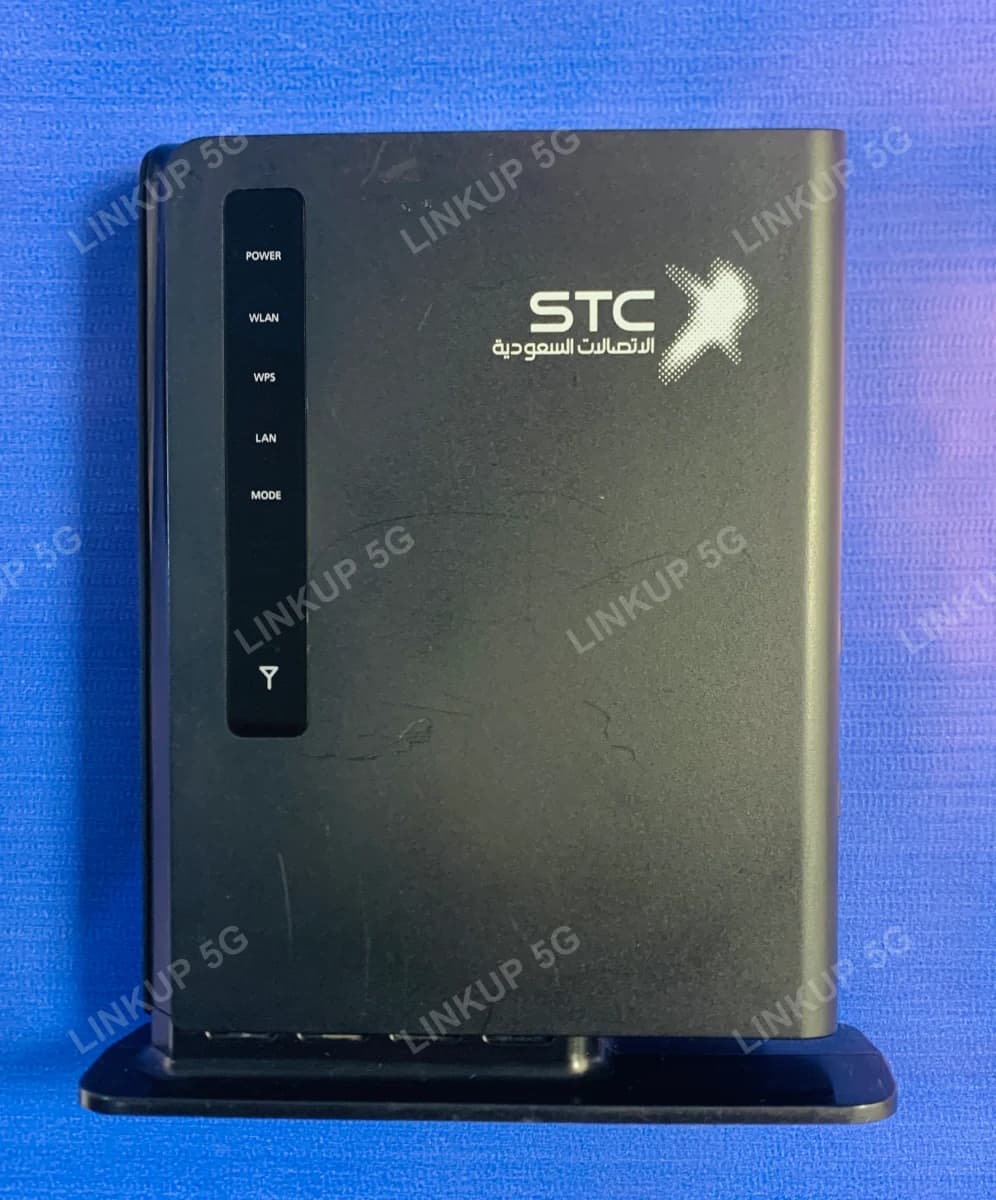
Huawei E5172 4G LTE Router
A stationary 4G router that falls back to 3G or 2G where LTE signal runs out.
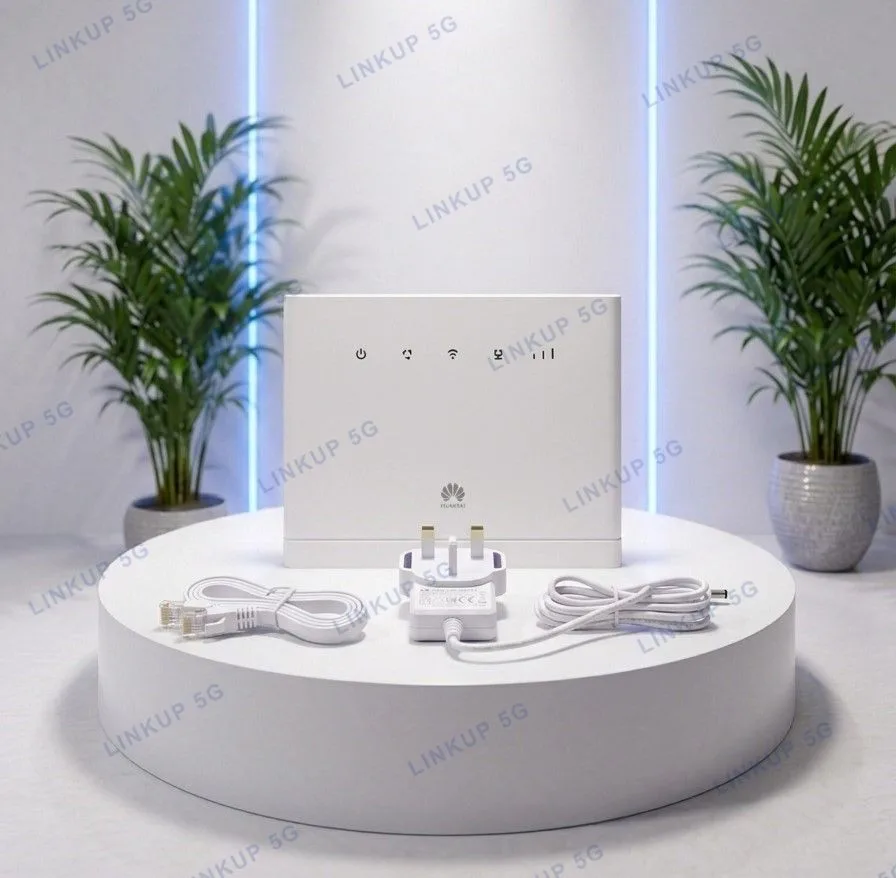
The E5172 is a fixed desktop 4G router built for one standout job: if 4G LTE isn't available, it automatically drops to 3G or even 2G rather than losing connection entirely, which matters more in patchy-coverage areas than raw top speed does. It also supports up to 4 separate WiFi networks (Multi-SSID), useful for keeping a guest network separate from a shop or office's main WiFi. This unit was originally sold carrier-branded as STC (Saudi Telecom Company) or Ooredoo hardware in the Middle East, but it's factory unlocked and works the same on any Pakistani SIM. It's a genuine Huawei E5172, quality-checked and in like-new condition, which is part of why it's priced the way it is.
+ PKR 250 delivery charge, nationwide
Cash on Delivery
Best Quality
Genuine Products
Huawei E5172 4G LTE Router
PKR 6,000
For areas where LTE signal comes and goes
Most 4G routers stop working the moment LTE coverage drops out. The E5172 is built around the opposite assumption: it automatically falls back to 3G, and then 2G, so you stay connected (at a lower speed) rather than losing internet entirely. That makes it a better fit for a semi-rural shop or home on the edge of good coverage than for a fully covered city address, where a faster 4G-only router would outperform it. It's a fixed desktop unit, not portable: plug it in once, near a wall socket and within reach of an external antenna if needed, and leave it there.
Best For
- Areas with inconsistent LTE coverage, where falling back to 3G/2G beats losing connection
- Shops or small offices wanting a separate guest WiFi network via Multi-SSID
- A fixed desktop setup near one wired device (PC, smart TV, decoder) plus WiFi for everyone else
- Anyone wanting a wired landline-style phone line via a SIM alongside internet
Not Ideal For
- Offices needing more than one wired Ethernet connection, since it has a single LAN port
- Anyone wanting to share a USB printer or storage drive, since there is no USB port on this router
- Buyers wanting 5G or WiFi 6 speeds, since this is a 4G Cat4 router with single-band 2.4GHz WiFi
- Portable or on-the-go use, since it's a stationary desktop unit meant to stay plugged in one place
- Buyers who specifically need a factory-sealed, never-opened retail box
Specifications
- 4G LTE Cat4 (FDD/TDD) with automatic fallback to 3G (UMTS) and 2G (GSM)
- Up to 150 Mbps download / 50 Mbps upload on FDD LTE
- WiFi 802.11 b/g/n, single-band 2.4GHz, up to 32 connected devices
- Up to 4 separate WiFi networks (Multi-SSID)
- 1x RJ45 Ethernet port for a wired connection
- 1x RJ11 port for voice calling via the inserted SIM
- 1x external SMA antenna port for weak-signal areas
- Factory unlocked, works with any Pakistani SIM despite the STC/Ooredoo branding on the case
- Firewall with MAC/IP filtering and WPS setup
- Network
- 4G LTE (FDD/TDD), with 3G (UMTS) and 2G (GSM) automatic fallback
- Max Speed (FDD)
- Up to 150 Mbps down / 50 Mbps up*
- Max Speed (TDD)
- Up to 112 Mbps down / 10 Mbps up*
- WiFi Standard
- 802.11 b/g/n, single-band 2.4GHz
- Max Connected Devices
- 32
- WiFi Networks
- Up to 4 separate SSIDs (Multi-SSID)
- Ethernet
- 1x RJ45 LAN port
- Phone Port
- 1x RJ11 (voice calling via SIM)
- Antenna Port
- 1x external SMA connector
- SIM Slot
- 1x standard SIM
- Security
- Firewall with MAC/IP filtering, WPS button
- Management
- Web UI (192.168.1.1)
Speeds marked * are Huawei's manufacturer-rated maximums under ideal lab conditions, not an independent test result; real-world speed depends on distance from the tower, signal strength, and whether the connection is running on FDD or TDD LTE.
Network Compatibility
It is factory unlocked and works immediately on Jazz, Zong, Ufone, or Telenor. The STC and Ooredoo branding printed on the case is left over from where the hardware was originally sold, and it does not lock the router to any network.
Setup Guide
- 1
Slide open the SIM cover on the back and insert your standard SIM card.
- 2
Connect the power adapter and switch the router on.
- 3
Wait for the WLAN and signal LEDs on the front panel to turn solid, showing it has connected.
- 4
Connect to the default WiFi network printed on the back label, or visit 192.168.1.1 to open the setup dashboard.
- 5
From the dashboard, set your WiFi password and add extra SSIDs if you want a separate guest network.
Questions About This 4G Router
STC (Saudi Telecom Company) and Ooredoo are the carriers this Huawei E5172 hardware was originally sold under overseas. The unit itself is factory unlocked, so the branding is cosmetic only, and it works the same as any unlocked router on Jazz, Zong, Ufone, or Telenor.