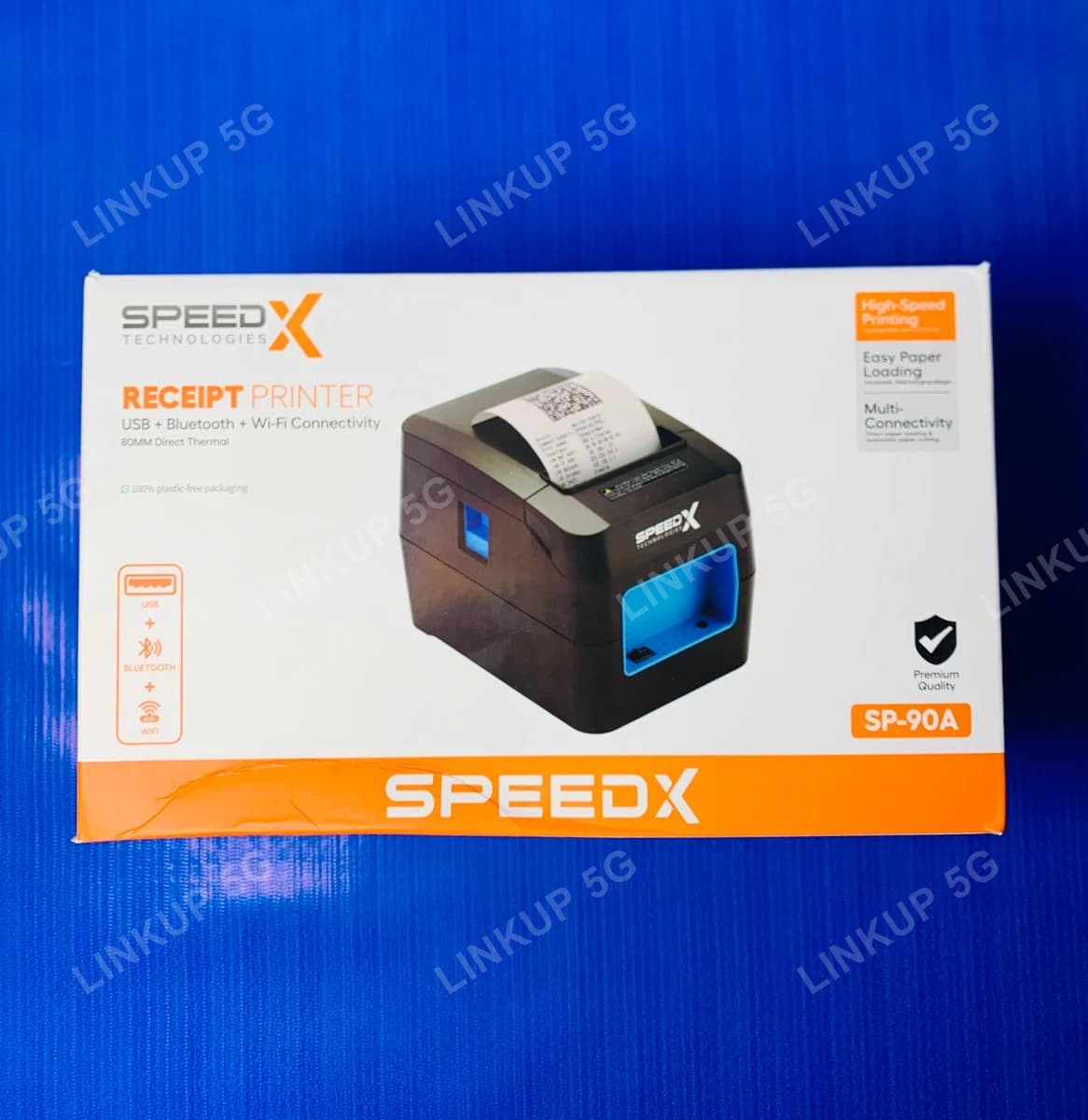
Speed-X SP-90A 80mm Thermal Receipt Printer (USB, WiFi, Bluetooth)
A fast 80mm thermal receipt printer for shops and small businesses, connects over USB, WiFi, or Bluetooth.
This is an 80mm thermal receipt printer built for shops, retail counters, and small businesses that need fast, reliable printing for sales receipts, bills, and labels. It prints at up to 220mm/s, cuts each receipt automatically, and connects however the setup needs: plug in over USB, join the shop WiFi, or pair over Bluetooth for a till that moves around the counter. It speaks the same ESC/POS command language most POS software already uses, so it works with common billing and point-of-sale apps on Windows, Android, iOS, and Linux rather than needing special drivers. It also prints barcodes and QR codes directly, useful for product labels or receipts that need a scannable code. It is a dedicated receipt printer, not a general-purpose document printer: it prints only on thermal paper rolls, not plain A4 paper, and has no ink or toner to replace.
+ PKR 250 delivery charge, nationwide
Cash on Delivery
Best Quality
Genuine Products
Speed-X SP-90A 80mm Thermal Receipt Printer (USB, WiFi, Bluetooth)
PKR 11,000
A shop counter that needs fast, automatic receipt printing
Handwriting receipts or using a slow printer slows down every sale and looks unprofessional at checkout. The SP-90A prints an 80mm thermal receipt in seconds, automatically cuts it, and connects over whichever interface the counter setup already uses (a desktop POS over USB, a networked till over WiFi, or a mobile/tablet POS over Bluetooth), so it drops into most existing billing software without new drivers.
Best For
- Retail shops, small stores, and counters that need fast receipt printing
- POS/billing setups already using ESC/POS-compatible software on Windows, Android, iOS, or Linux
- Counters that want USB, WiFi, or Bluetooth connectivity instead of being limited to one
- Printing receipts, bills, or labels with barcodes/QR codes
Not Ideal For
- Printing on plain A4 paper or documents, since this only prints on 80mm thermal receipt rolls
- Color printing, since thermal receipt printers only print in black
- Buyers who specifically need an official manufacturer warranty, since none is stated here
Specifications
- Direct thermal line printing, up to 220mm/s
- 203 DPI resolution (576/512 dots per line)
- Connects over USB, WiFi, or Bluetooth
- Automatic paper cutter, rated for 1,000,000 cuts
- ESC/POS command set, works with common POS/billing software
- Compatible with Windows, Android, iOS, and Linux
- Prints 1D barcodes (UPC, EAN, Code128, and others) and QR codes
- Built-in cash drawer output port
- Print Method
- Direct thermal line printing
- Print Speed
- Up to 220mm/s (160-220mm/s)
- Resolution
- 203 DPI (576 / 512 dots per line)
- Paper Width
- 79.5 ± 0.5mm (standard 80mm roll)
- Printable Width
- 72mm
- Paper Roll Diameter
- Up to 80mm
- Connectivity
- USB, WiFi, Bluetooth
- Print Head Life
- 100km
- Auto-Cutter Life
- 1,000,000 cuts
- Command Set
- ESC/POS compatible
- OS Compatibility
- Windows, Android, iOS, Linux
- Barcode Support
- 1D: UPC-A, UPC-E, EAN-13, EAN-8, Code 39, ITF, Codabar, Code 93, Code 128; 2D: QR Code
- Cash Drawer Port
- DC 12V / 1A output
- Power Input
- AC 100-240V, 50-60Hz (adapter)
- Power Output
- DC 12V / 2A
- Operating Temperature
- 5°C to 45°C
- Weight
- 0.9kg
Print speed and print head/cutter life are manufacturer-rated figures confirmed across multiple Pakistani retailer listings, not an independent LinkUp test. This printer connects over USB, WiFi, or Bluetooth; some sellers also list a 4th (LAN/Ethernet) interface, but since retailer listings disagree on this, LinkUp states only the three interfaces every source confirms. No warranty term is stated for this product.
Setup Guide
- 1
Load an 80mm thermal paper roll into the printer, matching the feed direction shown inside the paper compartment.
- 2
Connect the power adapter and turn the printer on.
- 3
For USB: connect the USB cable to your POS computer and install the printer in your billing software as an ESC/POS printer.
- 4
For WiFi: join the printer to your shop WiFi network through its setup menu or utility, then add it in your POS software by its network address.
- 5
For Bluetooth: put the printer in pairing mode and pair it from your phone, tablet, or computer's Bluetooth settings.
- 6
Print a test receipt from your POS software to confirm the connection and paper feed are working.
Questions About This Printers
It should, as long as that software supports ESC/POS-compatible thermal printers, which is the standard most POS and billing software already supports on Windows, Android, iOS, and Linux. Check your specific software's printer settings for an "ESC/POS" or generic "80mm thermal printer" option.