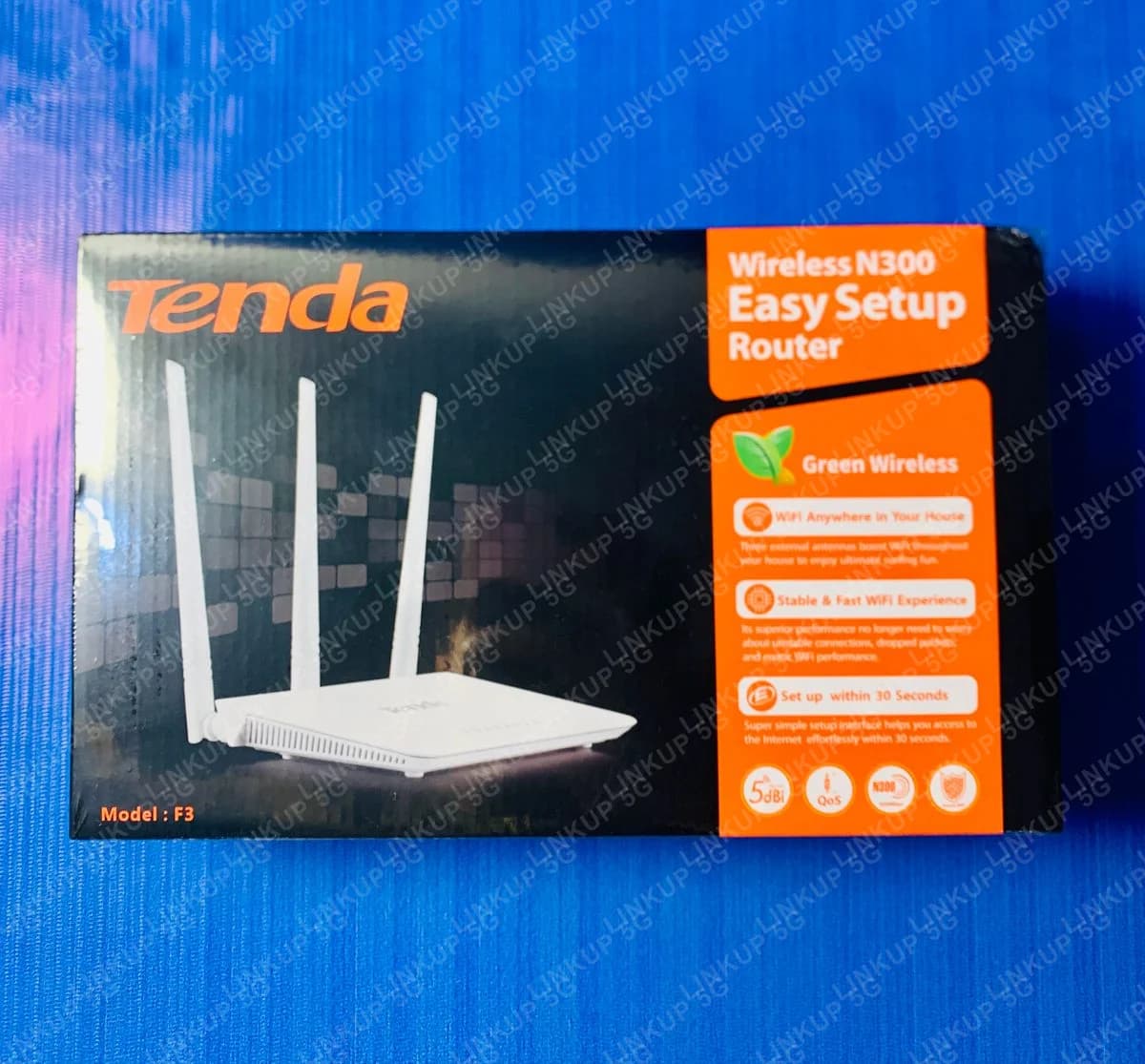
Tenda F3 WiFi Router
A budget 3-antenna WiFi router for extending or replacing your home network.
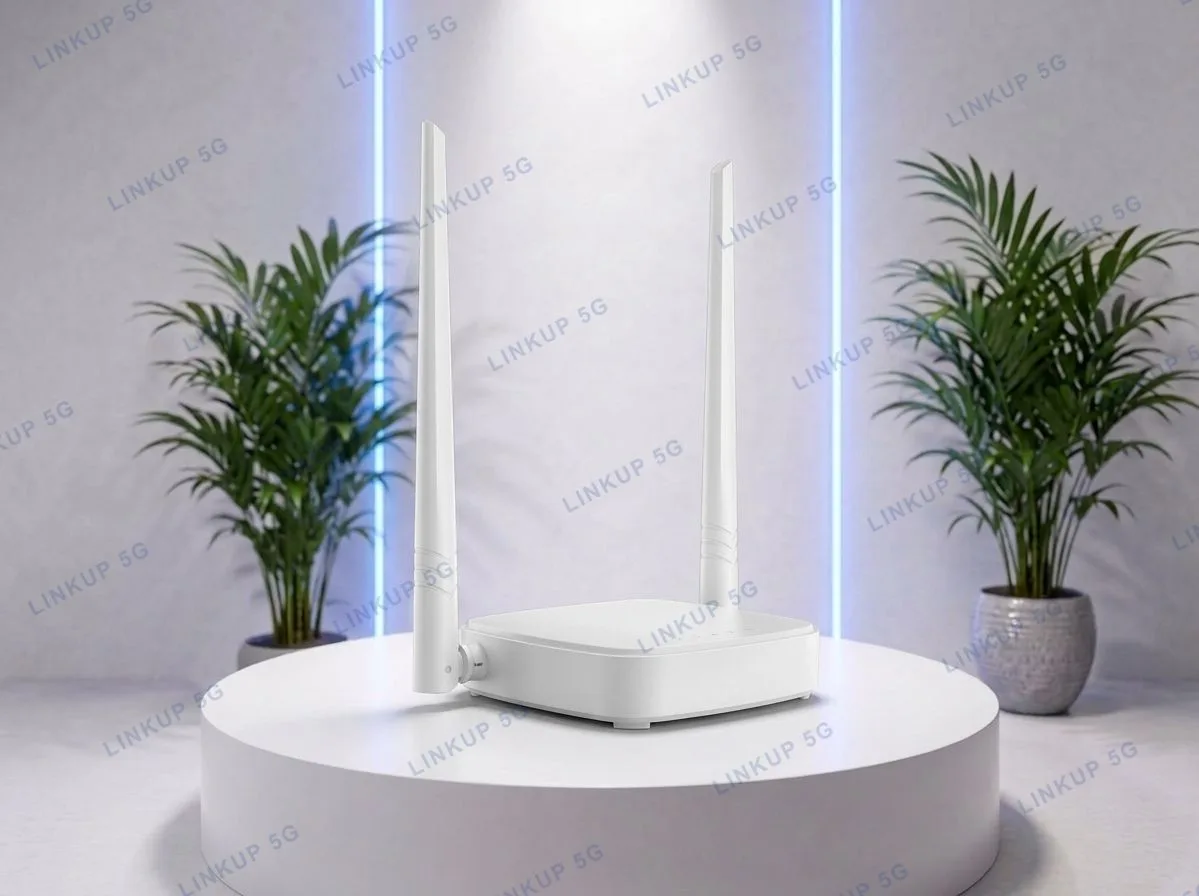
The F3 is not a cellular device. It has no SIM slot and needs an existing internet connection (a modem, fiber ONT, or another router's WiFi) to work with. What it's built for is spreading that connection further and more reliably around a home or small office: three external antennas for stronger corner-to-corner coverage, plus IP-based bandwidth control so one device streaming or downloading doesn't choke everyone else's WiFi. It also runs in WISP client mode, letting it pick up an existing WiFi signal (a neighbour's connection, a landlord's router) and rebroadcast it, rather than only working over a wired WAN input.
+ PKR 250 delivery charge, nationwide
Cash on Delivery
Best Quality
Genuine Products
Tenda F3 WiFi Router
PKR 3,500
Weak home WiFi coverage or a router that needs replacing
If your existing router's WiFi doesn't reach every room, or you need a low-cost router to pair with a modem that only came with a wired connection, the F3 covers that gap. Its three 5dBi external antennas push coverage further than a typical single-antenna ISP-issued router, and its bandwidth control feature stops one heavy user from slowing down everyone else on the network. It only broadcasts on the single 2.4GHz band, there is no 5GHz band, so it's built for reliable range and basic household use, not high-throughput WiFi 6 speeds.
Best For
- Extending or replacing weak WiFi coverage from an existing modem or ONT
- Small homes or offices needing a low-cost router with wider antenna coverage
- Picking up an existing WiFi signal via WISP client mode instead of a wired WAN input
- Households wanting simple per-device bandwidth control to stop one user hogging the connection
Not Ideal For
- Anyone needing SIM-based mobile internet, since this has no SIM slot; see our 4G or 5G routers instead
- Homes with many WiFi 6 devices or needing 5GHz WiFi, since this is single-band 2.4GHz, 802.11n only
- Large homes needing whole-house mesh coverage, since this is a single router, not a mesh system
- Gigabit wired connections, since its Ethernet ports are 10/100 Mbps (Fast Ethernet), not Gigabit
Specifications
- Wireless N standard, up to 300 Mbps over WiFi
- 802.11b/g/n, single-band 2.4GHz
- 3x 5dBi external antennas for extended coverage
- 1x WAN + 3x LAN 10/100 Mbps Ethernet ports
- Router, Repeater, WISP Client, and Access Point modes
- IP-based bandwidth control per connected device
- WPA/WPA2 and WPA-PSK/WPA2-PSK security
- No SIM slot, requires an existing modem, ONT, or WiFi source
- WiFi Standard
- 802.11 b/g/n, single-band 2.4GHz
- Max Wireless Speed
- Up to 300 Mbps*
- Antennas
- 3x external, 5dBi each
- Ethernet
- 1x WAN + 3x LAN, 10/100 Mbps
- Operating Modes
- Router, Repeater, WISP Client, Access Point
- Security
- WPA/WPA2, WPA-PSK/WPA2-PSK
- Power
- DC 9V, 0.6A
- Dimensions
- Approx. 185.6 x 118.4 x 31.2 mm
Speed marked * is Tenda's manufacturer-rated maximum under ideal conditions, not an independent test result. Real-world WiFi speed depends on your incoming internet connection, distance, and interference.
Setup Guide
- 1
Connect the F3 to your existing modem, fiber ONT, or router using the WAN port and the included Ethernet cable.
- 2
Power on the router and wait for the WiFi LED to turn on.
- 3
Connect to the default WiFi name and password printed on the bottom label, or use the setup wizard at the router's web address.
- 4
To pick up an existing WiFi signal instead of a wired connection, switch to WISP Client mode in the web interface and select the source network.
- 5
Set individual bandwidth limits per device from the router's admin panel if needed.
Questions About This WiFi Router
No. The F3 is a plain WiFi router with no SIM slot; it needs an existing internet connection from a modem, fiber ONT, or another WiFi network to work. For SIM-based mobile internet, see our 4G or 5G router options instead.